
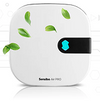
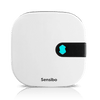
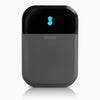

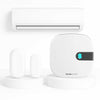






























Smart home integration simply links devices together so that they may be controlled from one central platform. This can facilitate task automation, improve security, make a home more energy-efficient, and generally make life easier. It achieves this by integrating into devices such as lighting and thermostat control systems, security cameras, and appliances that give the owner the ability to monitor and control the functionality of their own home through one interface, usually their smartphone or voice assistant.
How to Integrate Sensibo with Home Assistant
Connecting your Sensibo device with Home assistant will simplify control and improve automation features, enhancing the management of your smart home. The integration will let you control your air conditioning systems directly from the Home assistant dashboard, offering a much more coherent and efficient smart home environment.
Integration Guide
The official integration guide from the Home Assistant website has step-by-step instructions on how to integrate Sensibo on the Home Assistant website. It is a more in-depth guide that will walk users through a detailed set of instructions from the initial setup to configuration options and customizing choices. You can access it directly by visiting the page. That is where all the information you need, from the prerequisites to configuration details to troubleshooting, will be found to make this integration as smooth as possible.
Benefits of Integrating Sensibo with Home Assistant
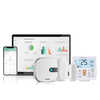
Integration with Home Assistant offers the major advantage of centralized control, thus streamlining the control of different smart devices in the home. Sensibo devices can be integrated into the Home Assistant ecosystem. In this way, users are able to adjust the temperature using their heating, ventilation, and air conditioning systems together with their other smart devices, such as lights, security, and entertainment units, from one interface. This is one control panel that empowers simplicity in user experience and increases the efficacy of daily interaction with the smart home system. Adjust settings, monitor statuses, and execute commands without switching between different apps or interfaces for a seamless and integrated smart home experience.

Enhanced Automation
The integration of Sensibo with Home Assistant opens up a realm of enhanced automation possibilities that can adapt to users’ lifestyles and environmental conditions. For instance, users can create routines that automatically adjust the indoor temperature based on daily schedules, such as warming the house right before waking up or cooling it down just as family members return on a hot day. Furthermore, by leveraging external data like weather conditions, Home Assistant can adjust Sensibo settings to preemptively manage the indoor climate based on upcoming heat waves or cold spells. This level of automation extends to reacting to real-time changes, such as adjusting humidity and temperature settings during a rainy day or when the house is full of guests, ensuring comfort without manual intervention.
Energy Efficiency
Another compelling benefit is the energy efficiency derived from integrating Sensibo and Home Assistant. It can perform intelligent automation and centralized control over heating and cooling devices to reduce the energy that is spent unnecessarily. You can set it, for example, once windows have been detected as open or if there is nobody in the room, then turn off the air conditioning or heating. Moreover, with the usage pattern followed in place, Home Assistant will figure out the most energy-efficient settings at particular times of the day or season. This is not only money-saving on utility bills but also creates a more eco-friendly home, cutting the carbon footprint from excessive or inefficient use.
Why is Integration Important?
Integration of Sensibo devices makes usability easy and common to smart home systems that are otherwise complex. All that is beneficial to all users, as the multiple interactions with the house are averted, and operation and management have been centralized into a single, easy, and intuitive interface. Homeowners can monitor, control, and adjust one platform-connected device. This has the effect of reducing complexity and increasing the overall user experience. Because of this, the regular user can comfortably maximize the smart home application without difficulties, more so for a non-tech-savvy user.

Customization
One of the greatest benefits of working with Sensibo in combination with Home assistant is the flexibility in terms of customization. Home assistant, in its essence of open-source technology, offers the ability to have whatever environment a user wishes to have down to very detailed considerations. Be it the use cases of climate control settings according to an occupancy sensor, its settings based on time, or creating complex scenarios with loads of devices. Such a degree of personalization shall entail smart home systems that adapt to the lifestyle of their users instead of the other way around.
Future-Proofing Your Home
Finally, integrations that happen on open platforms like Home Assistant are equally critical to future-proofing your smart home. Open platforms are constantly being invented and supported by a community of developers, hence remaining compatible with new technologies and standards as they are created. Sensibo integration with one such platform ensures that your smart home system will continue to grow with changing technology and remain operational and relevant in the long run. This flexibility also lets users add, upgrade, or replace components of their smart home system without worrying about the component becoming obsolete or incompatible, thus safeguarding the investment and ensuring the latest functionality in their smart home ecosystem.
Integrating your Sensibo device with Home Assistant offers a powerful way to enhance your smart home setup. By following the detailed guidance available on the Home Assistant website, you can efficiently combine these systems to gain centralized control, increased automation capabilities, and improved energy efficiency. This integration not only simplifies the management of your home environment but also ensures it adapts to your personal needs and future technologies, making your smart home more cohesive and forward-thinking.
FAQ
What do I need before connecting Sensibo to Home Assistant?
You need a Sensibo device that is already set up and online in the Sensibo app, a running Home Assistant instance, and an API key generated from your Sensibo account. You then add the integration in Home Assistant under Settings, Devices & services, Add integration, and search for Sensibo. The official Home Assistant integration page lists the current prerequisites and steps.
Does the Sensibo integration run locally or through the cloud?
The integration runs through Sensibo's cloud, so both Home Assistant and your Sensibo device need an internet connection. Home Assistant checks Sensibo for updates at regular intervals, so a change may take a short moment to appear on your dashboard.
Why does Home Assistant show the wrong AC state after someone used the original remote?
Sensibo Air, Sky and Air Pro control the AC by infrared, which only sends commands and does not receive them. If someone changes settings with the AC's original remote, Sensibo cannot see the change, so both the Sensibo app and Home Assistant keep showing the last state Sensibo sent. To keep the status accurate, make changes through the Sensibo app, Home Assistant or a voice assistant rather than the original remote.
Can I keep using the Sensibo app and Climate React alongside Home Assistant?
Yes, the Sensibo app keeps working normally after you connect Home Assistant, and both control the same device. Avoid running a Climate React rule and a Home Assistant automation on the same AC at the same time, because the two can send conflicting commands. Pick one place to automate each unit.
Which Sensibo devices can I control from Home Assistant?
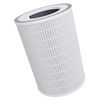
The Sensibo AC controllers (Air, Sky and Air Pro) appear in Home Assistant as climate devices you can control from the dashboard and use in automations. The integration also covers other Sensibo devices, such as the Pure air purifier and Elements air-quality monitor. Check the Home Assistant integration page for the exact entities each device exposes.