






























Key Takeaways
- A dark display almost always means power stopped reaching the thermostat, so the unit itself is the last thing to blame.
- Batteries come first. A fresh set fixes a big share of cases in two minutes.
- Next is the breaker, plus a small control-board fuse most people never find.
- A power switch left off, or an access panel that popped open, cuts voltage the same way.
- A full drain pan can trip a float switch that shuts the system down on purpose.
- On hardwired and smart units, a loose or missing C-wire is the usual answer to "the fan runs, but nothing lights up."
- Sometimes the screen is fine and has only dimmed or timed out.
- If power is clearly there and it still stays dark, the unit is likely dead.
A blank thermostat screen sends plenty of people straight to buying a replacement or booking a service call. Most of the time, neither is needed. The screen shows readings only while power flows to it, and that supply can break at several points on the way to the wall, none of which means the thermostat is broken. Finding the break is usually a few minutes of work, and the fixes are free or cost a few dollars. So before you spend anything, check the quick and common points first.
All You Need to Know About a Blank Thermostat Screen
- Why Is My Thermostat Screen Blank?
- Dead or Missing Batteries
- A Tripped Breaker or Blown Fuse
- The HVAC Power Switch Is Off or a Panel Door Is Open
- A Float Switch Tripped on a Full Drain Pan
- Weak or Interrupted Power From a Missing C-Wire
- Automatic Screen-Off or Dimming
- A Failed Thermostat or Display
- Does Your Thermostat Brand Change the Diagnosis?
- Keeping the Screen On
- FAQ
Why Is My Thermostat Screen Blank?
A blank thermostat screen almost always comes down to one thing: voltage is not reaching the display. The fix is to follow the power path from the cheapest, most likely break. The table below lists the order, the time each check takes, and the usual cost.
|
# |
Cause |
Time to check |
Typical fix cost |
|
1 |
Dead or missing batteries |
2 min |
About $5 |
|
2 |
Tripped breaker or blown fuse |
5 min |
$0 to $15 |
|
3 |
Power switch off or panel door open |
2 min |
$0 |
|
4 |
Tripped float (drain) switch |
10 min |
$0 to $150 |
|
5 |
Missing or faulty C-wire |
15 min |
$0 to $200 |
|
6 |
Auto screen-off or dimming |
1 min |
$0 |
|
7 |
Failed thermostat or display |
Varies |
$30 to $250 |
1. Dead or Missing Batteries

Battery-powered thermostats go dark the moment their cells run out. A fading or flickering display in the days before is the warning sign most people overlook. If your thermostat screen is blank and the unit runs on batteries, this is the two-minute check to start with. Some models are hardwired instead, so a thermostat blank screen with no batteries inside means you can move straight to the next cause.
Check the Batteries First
- Look for a low-battery icon that showed up before the screen died.
- Confirm your model uses batteries, since many hold a small tray behind the faceplate.
Putting In a Fresh Set
- Pull the thermostat off its wall plate, or open the battery door.
- Put in fresh AA or AAA cells that match the type in your manual.
- Skip rechargeables. Their voltage runs low and can cause the same problem again.
- Wipe the metal contacts if they look dull, then reseat the unit.
2. A Tripped Breaker or Blown Fuse
Two separate power breaks fall under this one.
The first is the circuit breaker feeding your furnace or air handler. A high-draw appliance on the same circuit can trip it and cut power to the thermostat.
The second is a small fuse on the control board inside the equipment, and a blown one is a common reason for a thermostat display not working even when the breaker looks fine. A tripped breaker is one of the quickest explanations behind a blank thermostat screen.
Where to Look
- Open your electrical panel and find the breaker marked for the furnace, air handler, or HVAC. A tripped one flips to a middle position, not fully on or off.
- For the fuse, open the furnace or air-handler access panel. On the control board, near the wiring terminals, is a small blade fuse rated 3 or 5 amps. This is not the pullout fuse in the outdoor disconnect by the condenser.
Resetting and Replacing
Push a tripped breaker fully off, then back on, and give the thermostat a few seconds. If the board fuse is blown, fit a new one of the same amp rating from a hardware store.
Reset the breaker only once. If it trips again, or a fresh fuse blows the moment you install it, stop. That points to a live short in the wiring, one of several reasons your AC won't turn on, and it needs a professional to trace safely.
3. The HVAC Power Switch Is Off or a Panel Door Is Open
Most furnaces and air handlers have a power switch nearby, a plain toggle on the unit or the wall beside it. Left in the off position, it is an easily missed cause.
A second safety switch is built into the blower door. When an access panel is not latched all the way, that switch cuts power so no one works near live parts inside. If your thermostat screen went blank right after a filter change, a loose panel is the first thing to check.
To rule this out:
- Find the power switch by the unit and set it to on.
- Press each access panel until it clicks into place.
- Give the display a few seconds to come back.
4. A Float Switch Tripped on a Full Drain Pan

Your AC pulls humidity from the air, and that water leaves through a condensate drain line. When the line clogs, water backs up into the drain pan under the indoor unit.
A float switch in the pan senses the rising water and opens the low-voltage circuit on purpose, shutting the system down before any overflow causes damage. That cutoff also removes power from the thermostat, so a clogged drain can leave you with a blank thermostat screen and an AC that will not start.
How to Spot It
- Find the indoor unit and look at the drain pan and the small switch clipped near it.
- Standing water in the pan, or dampness around the unit, is the giveaway.
Clearing the Drain
- Turn the system off at the thermostat or the breaker.
- Clear the blocked drain line. A wet/dry vacuum held to the end of the line pulls out most clogs.
- Empty the pan and dry it so the float drops back down.
- Restore power and confirm the display returns.
5. Weak or Interrupted Power From a Missing C-Wire
Hardwired and smart thermostats need steady 24-volt power to keep the display lit, and the common wire, the C-wire, carries it. If that wire is missing, loose, or on the wrong terminal, the thermostat loses power, and the result is a display that is not working even though the rest of the system runs. This is also the usual answer when a thermostat screen is blank, but the equipment still has power.
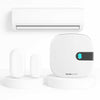
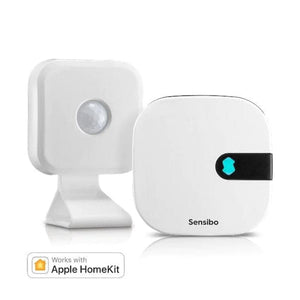
If you run a ductless mini-split, window, or portable AC from an infrared remote, this one does not apply. For example, our controller runs on its own power, outside the C-wire circuit, so a missing common wire cannot shut its display off.
Confirming It Is the Power
- Turn the breaker off first.
- Pull the thermostat from its wall plate and check that the C-wire is seated in the C terminal.
- If you own a multimeter and are comfortable with low-voltage wiring, set it to AC volts and read between the R and C terminals.
Honeywell lists a normal range of 20 to 30 volts, so a reading in that band with a dark screen points at the thermostat rather than the wiring.
Fixing the Connection
- Seat and tighten a loose C-wire, or move the jumper off Rc and R if your model calls for it.
- No C-wire at all? A power-extender kit adds one using the wires you already have.
- Damaged or chewed wiring behind the wall needs a professional.
6. Automatic Screen-Off or Dimming
Not every dark screen is a fault. Some thermostats dim on their own in low light, and others power the display off overnight to prevent burn-in.
People often think the thermostat screen went blank when the unit works fine and has only shut its display down. Tap the screen or press a button. If it lights up and responds, you're good. To prevent it, raise the brightness or turn off auto-dim or the screensaver in the menu.
7. A Failed Thermostat or Display
Once you have ruled out everything above and the screen still stays dark, the unit itself is the likely problem. Physical damage, age, or a frozen smart model can each kill the display. Most thermostats last about ten years. A thermostat display not working after the power checks all pass points to a failed unit.
Reset Before You Replace
A frozen smart thermostat often comes back with a reset. Pull it off the wall plate for two to three minutes, or cut power at the breaker for the same time, then restore it. A full system reset can clear a glitch holding the display down.
Here is how to reset your air conditioner the right way.
When Replacement Is the Answer
If the screen stays dark after every check above, the thermostat has reached the end of its life. A replacement is a straightforward swap on most systems. Label each wire before disconnecting it, or bring in a technician if you would rather not touch the wiring.
Does Your Thermostat Brand Change the Diagnosis?
The seven checks work on any system, but each brand tends to fail in its own way first, so knowing your model's usual suspect lets you skip ahead. A blank thermostat screen on a Nest or Ecobee points at the C-wire more often than on other units, since both depend on it to stay charged, which is why a display problem on those two is usually a power-path problem.
|
Brand |
Most common cause |
First thing to check |
|
Honeywell |
Overnight dimming, or a missing C-wire |
Tap the screen. If still dark, read 24V at R and C |
|
Nest |
A weak C-wire path drains the internal battery, shown as a No Power alert |
Look for the alert, then confirm the C-wire |
|
Ecobee |
A blown control-board fuse, or no C-wire without the power kit |
Check the 3 or 5 amp board fuse and the PEK |
|
Trane |
A tripped float switch or low 24V power |
Check the drain pan, then the transformer |
|
Carrier |
The blower-door safety switch after service |
Reseat the access panel until it clicks |
|
Lennox |
A blown board fuse or loose low-voltage wiring |
Check the board fuse and terminal connections |
Keeping the Screen On

A little upkeep prevents most of these problems. Change the batteries once a year, check the filter monthly, and flush the condensate line before each cooling season. Those three habits clear the causes behind most blank thermostat screen problems before they start.
A working display only settles the power side. If the screen reads fine but the room stays warm, our guide on an air conditioner running but not cooling the room covers it. Work this list from the top the next time the display stays dark.
FAQ
What does it mean when the thermostat screen is blank but the fan works?
This usually means the thermostat lost its own power while the equipment kept running. On many systems, the fan can be set to On right at the furnace, so it runs with no signal from the thermostat. A weak or missing C-wire is the other common cause, cutting power to the display while the blower stays powered. Check the C-wire and board fuse first.
Why did my thermostat screen go blank after a power outage?
Some thermostats wait before powering up again to avoid a surge as electricity returns. If your thermostat screen went blank during the outage and stayed dark once power was steady, a reset clears it. A short power cycle at the breaker is usually enough.
Can a dirty air filter cause a blank screen?
Yes. A clogged filter blocks airflow, the system overheats, and a safety cutoff shuts it down, pulling power from the thermostat. Change the filter, reset the system, and set a reminder to swap it every one to three months.
Will a blank screen affect my heating in winter?
Yes. The same power breaks that darken the display in summer also stop the heat in winter, since most thermostats run both off one low-voltage supply. The checks are identical.
How long do thermostat batteries last?
Most sets run 8 to 12 months. Changing them once a year, before the cooling or heating season begins, prevents the most common cause of blank thermostat screen before it starts.
Should I fix a blank thermostat myself or call a professional?
The first three checks, batteries, the breaker, and the power switch, are safe to do yourself and solve most cases. Call a professional if the breaker keeps tripping, a fresh fuse blows right away, water pools at the unit, or the wiring looks damaged.