

































Key Takeaways
- Dry mode removes humidity while barely changing the temperature, so a muggy room feels comfortable without turning cold.
- Set the target 2 to 3 degrees above the current room temperature to stop the unit from sliding into full cooling.
- Two to three hours clears most humidity spikes, and an overnight run is fine when the air stays heavy.
- Use it when the room feels sticky, but the temperature is already fine. Skip it once the air is dry.
- It draws around half the power of cool mode, since the compressor rests more and the fan runs low.
- For a damp basement or steady high humidity, a dedicated dehumidifier pulls far more water than this setting can.
Dry mode on an AC pulls moisture out of a room without dropping the temperature much. The fan slows down, and the compressor runs in short bursts, so air moving across the cold coils loses more of its water than its heat. You get a room that feels lighter and less clammy, even when the thermometer barely moves.
It helps most on humid days, when full cooling would overshoot and leave you shivering. Plenty of people run this setting for years without knowing the right temperature or how long to leave it on, and those small gaps quietly waste power and comfort.
All You Need to Know About Dry Mode
What Is Dry Mode on an AC?

The setting lowers indoor humidity and holds the temperature near where it already is. Your air conditioner keeps its coils cold enough to pull water vapor out of the passing air, collects that water, and drains it outside. Some cooling still happens, though only a small amount.
The name causes most of the confusion around what dry mode is in an AC, since it sounds like a stronger version of cooling. The opposite is closer to the truth, actually. Dry mode in an AC targets moisture and treats temperature as secondary, which is why a room can settle a degree warmer or cooler than your setpoint while the air still feels better.
Behind the scenes, the unit checks the humidity every few minutes. Once the room reaches a comfortable level, often around the mid-40s in percent, it eases off and waits. When a shower or a pot on the stove pushes moisture back up, it starts again on its own.
What's the Difference Between Dry Mode and Cool Mode?
Both settings use the same hardware but aim at different problems. Cool mode works on the temperature. The dry setting on an AC works on the moisture, and that changes how much power the unit pulls and how the room feels afterward.
|
Feature |
Cool Mode |
Dry Mode |
|
Main job |
Lower the temperature |
Lower the humidity |
|
Fan speed |
Medium to high |
Low |
|
Compressor |
Runs steadily |
Short, spaced cycles |
|
Power use |
Higher |
Around half |
|
Best for |
Hot, dry heat |
Warm, sticky air |
Fan, heat, and auto fill out the rest of the air conditioner modes and settings on a typical remote. For muggy weather, though, AC dry mode keeps you comfortable while set a few degrees higher than cool mode would need, so it costs less to run.
When to Use Dry Mode, and When to Skip It
Reach for aircon dry mode on days when the room temperature feels fine, but the air still feels heavy. Common triggers include:
- Rainy or monsoon weather, when outdoor moisture works its way inside
- Homes near the coast, a lake, or a river, where humidity stays high for much of the year
- Muggy nights, when full cooling leaves you cold under the blanket
- Times after cooking, showering, or drying laundry indoors, which all add water to the air
Skip it once the air is already dry. Running it then spends energy for almost no gain and can leave your throat and skin uncomfortable. If you only want moving air on a mild day, with no change to humidity or temperature, fan mode does that for less power.
How to Use Dry Mode on an AC
Getting into the mode takes a few seconds on most units.
Find the Mode Button
Press the mode button on your remote until the display shows Dry, Dehumidify, or a water drop symbol. On some units, that button is placed on the indoor unit's front panel instead.
The water drop is the clearest sign, usually a single droplet next to the sun, snowflake, and fan icons.

Set the Right Temperature
Aim 2 to 3 degrees above the current room temperature. If the room is 76°F, set the unit near 78 or 79.
That gap keeps the compressor from switching into full cooling and lets the dry setting on an AC focus on water removal. A lower number pulls the unit back toward cold air, which defeats the point.
Choose How Long to Run It
Two to three hours handles most humidity. Check the room afterward. Still heavy, add time. Too dry, cut back. On sticky nights, a longer overnight run keeps the air comfortable without the chill that cool mode brings.
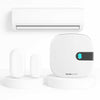
You can also skip the manual routine. Our smart controllers let you start AC dry mode by humidity level, so the unit kicks in on its own once a room crosses a threshold you set.
Dry Mode Mistakes That Cost You
The setting is forgiving, but a few habits quietly undo its work.
Setting the Temperature Too Low
Drop the target far below the current room temperature and the unit reads it as a demand for cold air. It switches into hard cooling, runs the compressor flat out, and burns the energy you meant to save.
Fast cooling also gives moisture less time to gather on the coil, so you can end up with a room that's cold and still damp. Keep the setting a couple of degrees above the room and let the slow cycle work.
Running It on Already Dry Air
When the air is light, there's little moisture left to remove. The unit still draws power and keeps pulling at water the room doesn't have to give, which dries your throat, cracks your lips, and draws moisture out of wood floors, furniture, and instruments.
Check a humidity reading first. Below roughly 40 percent, the setting has nothing useful to do.
Leaving Windows and Doors Open
An open gap feeds the room a steady stream of outside moisture. Fresh humid air pours in as fast as dry mode in AC clears the old, so the unit runs and runs without catching up. Close the space off before you start. The smaller and more sealed the room, the sooner you feel the difference.
Switching to Cool Mode Too Quickly
Flipping straight from dry to cool, or back again, restarts the compressor before it has rested. Most systems need a few minutes between starts, and ignoring that wears the compressor down and trips some units into a protective shutdown. Change modes if you need to, but give it two or three minutes to settle.
A Clogged Filter or Dirty Coils
Moisture removal depends on air moving freely across a cold coil. A filter packed with dust chokes that airflow, and a grimy coil can't pull water from what little air reaches it. You get a unit that runs for hours and barely touches the humidity. Rinse or swap the filter every few weeks during heavy use, and have the coils cleaned once a year.
Using It to Beat the Heat
On a hot afternoon, this setting won't rescue you. It removes little heat, so leaning on it during a heatwave leaves you warm and wondering why nothing's working. Heat is cool mode's job. Save this one for the muggy, moderate days it handles best.
Dry Mode or a Dehumidifier: Which Should You Use?

Both lower humidity, so the honest answer comes down to how much water you're fighting and where.
|
Factor |
Dry Mode |
Standalone Dehumidifier |
|
Equipment |
Uses the AC you already own |
A separate appliance to buy and place |
|
Water removed |
Modest, a byproduct of light cooling |
Large, and its only job |
|
When it runs |
Only while the AC is on |
Any time, whatever the temperature |
|
Suits |
Everyday stickiness in a living room or bedroom |
Damp basements, laundry rooms, weeks of heavy air |
|
Upkeep |
None beyond the unit itself |
Emptying a tank or draining a hose |
For ordinary humid days, AC dry mode handles it without a second machine or a second power bill. Once moisture becomes a standing problem, a room that never quite dries or condensation forming on the walls, a dehumidifier is the tool that clears it.
FAQ
Does dry mode use less energy than cool mode?
Yes. Dry mode on an AC runs the fan low and lets the compressor rest between short cycles, so it draws around half the power of steady cooling on a similar day. The savings shrink if you set the temperature too low, since the unit then behaves as it would in cool mode.
Can you sleep with dry mode on?
Yes, and many people prefer it on humid nights. The air feels lighter without the sharp cold of full cooling, which helps you stay asleep. Keep the fan low so the room stays even through the night. If you tend to feel cold, a timer that switches it off after a few hours works well.
Does dry mode heat the room?
No, it adds no heat. Because it removes moisture with only light cooling, a room can feel slightly warmer than it would under cool mode, though the temperature itself stays close to where it started or dips a little. A warmer feeling usually points to humidity removal doing its job. No heater is involved.
What does it mean if dry mode isn't reducing humidity?
A few causes are common. The outdoor air may be extremely humid, the unit may be undersized for the room, or a dirty filter and coils may be choking the airflow. An open door or window will stall it too. For a large or persistently damp space, a dedicated dehumidifier will outperform the setting.
Does dry mode work on a portable air conditioner?
Most portable units include it, marked Dry or shown with a water drop icon. It works the same way, condensing moisture from the air. One thing to check: many portables collect that water in an internal tank you empty by hand, or a hose you drain, so plan for that before a long run.
What does the dry setting on an air conditioner do?
The dry setting removes moisture from the room rather than mainly lowering the temperature. The AC runs its compressor with the indoor fan on low, so air passes slowly over the cold coil and more water condenses and drains away. The room usually cools a little as a side effect, but the goal is lower humidity. That helps on muggy, mild days when the air feels sticky even though the temperature is not high.
When should you use dry mode instead of cool mode on your AC?
Use dry mode when the room feels damp or sticky but is not especially hot, such as on rainy, humid days or in spring and autumn. Use cool mode when the temperature itself is the problem, as on a hot afternoon. Dry mode is also useful for clearing a stuffy, humid room after cooking or showering. If you can see the indoor humidity on a hygrometer or a smart AC controller, switch to dry mode when humidity stays high while the temperature is already comfortable.
How long should you run dry mode on an AC?
Run dry mode until the room reaches a comfortable humidity level, then switch back or turn it off. Don't leave it running all day by default. In a moderately humid room that often takes an hour or two, but it depends on room size, how damp the air is and your unit. A hygrometer or a smart controller that reports humidity, such as Sensibo, shows when you've reached the target, so the room isn't over-dried and you don't waste energy.