
































Key Takeaways
- Most Mitsubishi mini splits can get Wi-Fi two ways: Mitsubishi's own wired Wi-Fi adapter, which connects inside the indoor unit, or an infrared smart controller such as Sensibo that sends remote-control commands from your phone.
- Check your exact model number first, because official adapter and app support vary by model, region and age of the unit, and Mitsubishi Electric and Mitsubishi Heavy Industries are separate brands with different Wi-Fi products.
- The official adapter is two-way, so the app sees changes made at the unit or with the original remote, but it means opening the indoor unit and buying one adapter per head.
- An IR controller installs in minutes without opening the unit, adds schedules, voice control and heating as well as cooling, and moves with you, which suits renters.
- IR control is one-way: if someone uses the original Mitsubishi remote, the app shows a stale state, so it works best when everyone uses the app or voice instead.
- Ducted or ceiling units with only a wired wall controller usually need the official wired route, because an IR controller needs an indoor unit that responds to a handheld remote.
This guide shows you how to check what your unit supports, what each route actually involves, and which one fits renters, multi-head systems and Australian reverse-cycle owners. If your heat pump is about to carry you through a US winter, it also covers heating control from your phone, not just cooling.
All You Need to Know About Mitsubishi Mini Split Wi-Fi
- What Does Mitsubishi Mini Split Wi-Fi Mean?
- How to Check Whether Your Mitsubishi Supports the Official Wi-Fi Adapter
- What Does the Official Wired Adapter Route Involve?
- What Does an Infrared Smart Controller Like Sensibo Do Instead?
- Official Adapter vs Smart Controller: Side-By-Side
- Which Option Suits Renters, Multi-Head Systems and Australian Reverse-Cycle Owners?
- FAQ
What Does Mitsubishi Mini Split Wi-Fi Mean?

Mitsubishi mini split Wi-Fi means controlling your indoor unit from a phone app or voice assistant instead of only the handheld remote or wall controller. Some newer units have Wi-Fi built in, but many installed systems don't, so owners add it afterwards.
There are two ways to add it, and they work very differently. One talks to the unit's control board through a cable; the other talks to the unit through the air, exactly like the remote does.
- Official Wi-Fi adapter: a Mitsubishi interface wired to a connector inside the indoor unit, paired with Mitsubishi's app for your region.
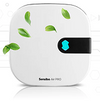
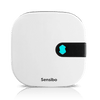
- Infrared smart controller: a small device such as Sensibo Air placed in view of the indoor unit, sending IR commands from an app.
If you're new to the equipment itself, our guide to what a mini split air conditioner is explains indoor heads, outdoor units and how they connect.
How to Check Whether Your Mitsubishi Supports the Official Wi-Fi Adapter
Official support varies by model, region and production year, so a quick check saves you from buying the wrong part. Work through these steps before you spend anything.
1. Confirm Which Mitsubishi You Have
Mitsubishi Electric and Mitsubishi Heavy Industries are separate companies with different units, adapters and apps. The brand name is on the indoor unit and on the remote; this matters most in Australia, where both are common.
2. Find the Indoor Unit's Model Number
Look for the rating label on the indoor head, usually on the side or behind the front cover. Use the indoor unit's model number, not the outdoor unit's, because the adapter connects to the indoor board.
3. Check Mitsubishi's Compatibility List for Your Country
Search the model on Mitsubishi's regional website or adapter page. App names differ by region: Mitsubishi Electric has used kumo cloud in North America and MELCloud in the UK, Europe and Australia, so check which app and adapter currently apply where you live.
4. Look for Built-In Wi-Fi
Some recent models ship with Wi-Fi already inside. Check the manual or the remote for a Wi-Fi setting before you buy an adapter you don't need; if it's there, our guide on connecting an AC to Wi-Fi covers the pairing basics.
5. Ask Your Installer If the List Is Unclear
Older or regional models may need a different interface or none at all. Your installer can confirm the connector on the board and whether adding the adapter affects your warranty.
What Does the Official Wired Adapter Route Involve?

The official route gives you two-way communication with the unit's control board. The app reads the actual mode, set point and fan speed, so it stays correct even if someone uses the remote or wall controller.
What Installation Looks Like
- Opening the indoor unit: the front panel comes off so the adapter cable can reach a dedicated connector on the control board (installers often call it CN105).
- Mounting the adapter: it sits inside or just outside the indoor unit's casing.
- Pairing with the app: you connect it to your home network, typically on 2.4 GHz Wi-Fi, and add each head in Mitsubishi's app.
What to Weigh Up
- One adapter per indoor head: a four-head system needs four adapters, so check current pricing for your whole system, not one unit.
- Electrical work: it involves the unit's internals, so many owners have an installer fit it, and it isn't something to take with you when you move.
- Model limits: if your model isn't on the list, this route may simply not exist for you.
The upside is real: accurate status from the unit itself and, for ducted or ceiling cassettes run from a wall panel, often the only practical way to get app control. Our overview of AC control panels and Wi-Fi options explains how wired controllers fit in.
What Does an Infrared Smart Controller Like Sensibo Do Instead?
An IR smart controller learns or recognises your Mitsubishi remote's commands and sends them from a small device in the room. Because it uses the same infrared signal as the remote, there's nothing to open or wire, and it plugs into a USB power supply.
What You Get
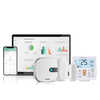
- Phone control from anywhere: change mode, temperature, fan and swing from the Sensibo app, at home or away.
- Voice control: use voice assistants such as Alexa, Google Assistant and Siri; see our guide to controlling your AC with an iPhone.
- Schedules and automation: set the heat pump to warm the house before you wake or cool it before you get home.
- Heating as well as cooling: if your remote has heat mode, the controller can use it, which matters for heat pump owners heading into winter.
- Room readings: built-in temperature and humidity sensing lets you monitor the room while you're away.
Which Sensibo Model
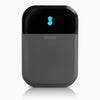
- Sensibo Sky: the simpler, lower-cost way to put one head on Wi-Fi.
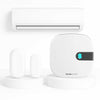
- Sensibo Air: the current main controller, and it pairs with the Room Sensor to measure conditions where you actually sit or sleep.
- Sensibo Air Pro: adds built-in air-quality sensing alongside AC control.
The honest trade-off: infrared is one-way. If someone picks up the original Mitsubishi remote, Sensibo doesn't see it and the app shows a stale state, so it works best when the household uses the app, voice or schedules and the remote goes in a drawer.
Official Adapter vs Smart Controller: Side-By-Side
Neither route is better for everyone. This table sets out the practical differences that usually decide it.
|
Factor |
Official Mitsubishi Wi-Fi Adapter |
IR Smart Controller (Sensibo) |
|
How it connects |
Cable to the indoor unit's control board |
Infrared, like the handheld remote |
|
Installation |
Indoor unit opened; often done by an installer |
Place in view of the unit and plug in; minutes |
|
Sees original remote changes |
Yes, two-way status |
No, app can show a stale state |
|
Model support |
Depends on model and region |
Most remote-controlled units |
|
Ducted units with wall controller only |
Often supported |
Usually not, needs an IR receiver |
|
Heating and cooling |
Yes |
Yes, if the remote has heat mode |
|
Voice and schedules |
Through Mitsubishi's app and supported integrations |
Yes, plus Alexa, Google Assistant and Siri |
|
Take it when you move |
Not practical |
Yes |
|
Multi-head systems |
One adapter per head |
One controller per head |
If accurate status matters more than anything and your model is listed, the official adapter is the cleaner fit. If you want fast setup, portability and broad compatibility, an IR controller usually wins. For thermostat-style options, see smart thermostats for a mini split.
Which Option Suits Renters, Multi-Head Systems and Australian Reverse-Cycle Owners?

Renters
An IR controller is usually the only realistic choice, because you can't open a landlord's indoor unit. It needs no tools, leaves nothing behind and moves with you to the next place.
Multi-Head Systems
Both routes need one device per indoor head. Remember that on most multi-zone systems, heads sharing one outdoor unit can't heat and cool at the same time, whichever app you use, so set every room to the same mode.
Many owners mix routes: the official adapter for a ducted unit run from a wall panel and Sensibo for wall-mounted heads. If you're managing several units, see how Sensibo controls multiple AC units.
Australian Reverse-Cycle Owners
Check first whether your split system is Mitsubishi Electric or Mitsubishi Heavy Industries, since the official Wi-Fi products differ. A Sensibo controller works the same way with either brand's remote-controlled heads, and heat mode works in winter just as cooling does in summer.
US Heat Pump Owners Heading Into Winter
Use schedules to warm rooms before you wake and moderate setbacks rather than big swings, which a heat pump takes longer to recover from. If the unit blows cool air in heat mode, our guide to a heat pump blowing cold air covers defrost cycles and other causes.
FAQ
Do Mitsubishi mini splits have built-in Wi-Fi?
Some newer Mitsubishi models have Wi-Fi built in, but many installed units do not. Check the manual, the remote or Mitsubishi's regional website using the indoor unit's model number. If there is no Wi-Fi, you can add an official adapter where supported or an infrared smart controller.
What app controls a Mitsubishi mini split?
Mitsubishi Electric's app depends on your region: it has used kumo cloud in North America and MELCloud in the UK, Europe and Australia. Mitsubishi Heavy Industries units use their own separate app and adapter. An infrared controller such as Sensibo uses the Sensibo app instead.
Can I control my Mitsubishi heat pump from my phone without the official adapter?
Yes. An infrared smart controller such as Sensibo Air or Sky sends the same commands as your Mitsubishi remote, including heat mode, from a phone app or voice assistant. It needs no wiring, but it cannot see changes made with the original remote.
Do I need one Wi-Fi adapter for each indoor head?
Yes, both the official Mitsubishi adapter and an IR controller work per indoor unit. A three-head system needs three devices. Heads on one multi-zone outdoor unit still have to run in the same mode.
Will a Sensibo controller work with a ducted Mitsubishi unit?
Only if the unit responds to a handheld infrared remote. Ducted or ceiling-concealed units controlled solely by a wired wall controller usually need Mitsubishi's official wired Wi-Fi route instead.
Why does my smart AC app show the wrong setting after using the remote?
Infrared control is one-way, so an IR controller cannot see commands sent by the original remote. The app keeps showing the last setting it sent until you change it from the app. Putting the original remote away and using the app, voice or schedules avoids this.